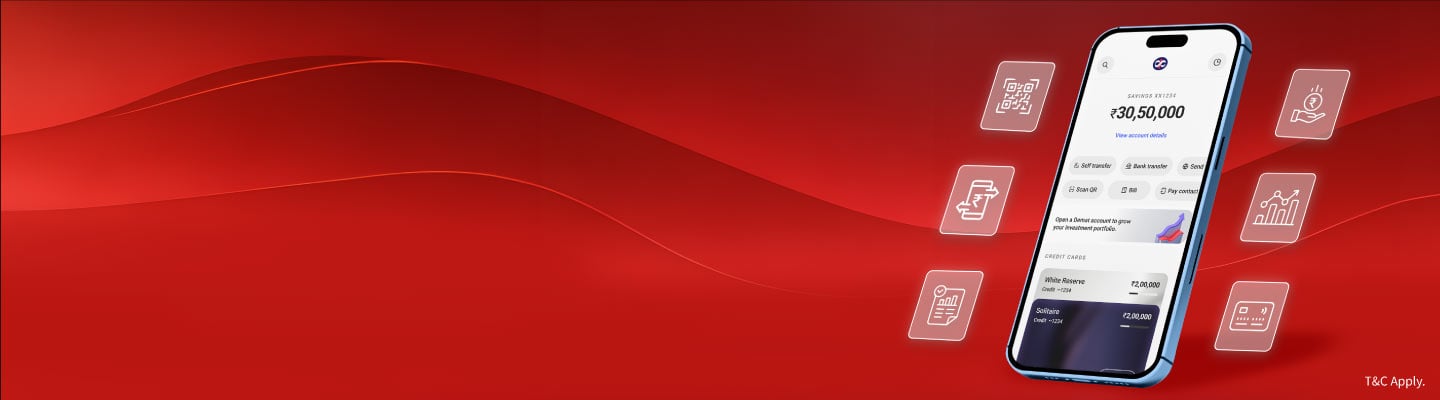
Mobile Banking that keeps up with you




Experience the all-new Kotak Netbanking
Simpler, smarter & more intuitive than ever before


Quick Help
Frequently Asked Questions
Show More
For Kotak Bank Customers
For Kotak811 Customers
Experience the all-new Kotak Netbanking Lite
Simpler, smarter & more intuitive than ever before. Now accessible on your mobile phone!
The New Kotak Bank App is secured with industry-standard encryption and multi-factor authentication to ensure your financial transactions remain safe and secure.
Although mobile phones and tablets are convenient to use, they are also easy to lose and can put your account at risk. We recommend the following precautions:
Fraudsters may develop and publish fake mobile banking applications that look like the Kotak Bank App to steal your online banking credentials. The following tips will help you stay safe:
Kotak Bank App (New)
Platform |
Version |
Checksum - SHA-256 |
|---|---|---|
Android |
1.63.530 |
572a05203937498b83ac8b52ac60a1dcbcc2b30760735e2f0ab2d74be960c251 |
Android |
1.61.527 |
257685b6ec54bbfd68123b5c485a85741b37c38d5e1fc56d17828634b3a342f5 |
Android |
1.61.523 |
2659680ad299b2b40c375803e2a20b540bbabd9fbc844670d81dc978c3b80d30 |
Android |
1.61.520 |
773f542c785c669eb8f56356b6f054487c0c05f1916b33e5eb730f327c0f83d8 |
Android |
1.60.515 |
f55c4c213c0b15c7b69edbfe57858074bf7e713c855900ce492d835ef38f82e7 |
Android |
1.60.512 |
52ea96b53fcff8e55fb249667a9ca0baf71c4cdd604a209c3c112a1cc64fff8d |
Android |
1.59.502 |
dfcc28e3272204bc544a04aceb05fc5adc577ded7f2130b9204ccfd14b6dc1a4 |
Android |
1.58.491 |
59ed089e084e72824bec8429c7711e28692ed42faa344b1b5470840b92db1926 |
Android |
1.57.482 |
ee00bc25ffa506be0c369b2ec0168b4440e9434cb0dd5566b24023231623f4be |
Android |
1.56.470 |
67767f5258674d039c3c2aec256fe0a2d1c87be09c357cc7574f460b51e2e85e |
Android |
1.55.463 |
98c619d04236b1a7550379b7c81804a73194ba8557f31c7b9e0c7abf17d60bc6 |
Android |
1.55.461 |
da3aa7f5d00b67d0c975892ef8f78c88964b4bf8e58a4f4a1542c2d4cd8b914f |
Android |
1.55.460 |
f3e68131a085ba8c2f5da8e253f68d65b2c0a793bb340c0494987e6cb9972359 |
Android |
1.54.457 |
f196db7b0d94bf8fb6a14a8911c454d6fdc42de812ebbc227f4664e51a5ac9bd |
Android |
1.54.449 |
caa4cfd76e41831a5e3aa8d1a44f7be533d980383f935061f968a3b4a39f0b6a |
Android |
1.53.441 |
9f002d83f8fcc21b9f2304df12b559412ef43c358263b39579eca3fab2e55c2b |
Android |
1.53.440 |
61938d7ab6732326d722fd21d1060da7cc76a42b5f8aa1e87702b4e7f88d63d6 |
Android |
1.52.429 |
8598edf73c1491b29253f13f61428693866c3b4c456173fbf1ecba180138b9ea |
Android |
1.52.428 |
444a5bb5f31f158539e48a382e19e15a572e6005632bd01d87e894794c06f3cf |
Android |
1.50.420 |
93939f5223659e544651b36ade48bdf670c632c390ef8bcce7af50f0540b1b2c |
Android |
1.50.419 |
1b1f5286d7876ecf4ebacb0c6316e8a56d4887bdee6da6cc364890ef4bb4a796 |
Android |
1.50.418 |
2c999348fdd14e14ddc45697f886ff582abf756bf1b31ac2dc5b437c9139a7e7 |
Android |
1.49.411 |
c32f0e68f9e6947c84675e534710faa29dcade54aefb7044fef70a6e42df7ada |
Android |
1.49.410 |
95acb2fe7cb2cf45619bd8825d0cfdf001c862b9bee204fba1bbd8930cdcabce |
Android |
1.48.398 |
522968bcffe22c2b6a159ca9743b3c119b1eae5b725fb615fd1337ff7b426e5f |
Android |
1.47.378 |
816d669fdc98546fe7ce42518c8d3b52bddf51789bd2791d4885f33506752c19 |
Android |
1.46.368 |
e7e8af9b1a46723e67f4cf4221cbcb039de9b1ef075ed835a3ba83dc03183207 |
Android |
1.45.340 |
d38ad60fdb96179835cd21b66e564e78298d56dcc5ca03dd18fc50f08de04dd2 |
Android |
1.44.307 |
e19d4e83af0b6d00b6557eafe4b2c8f7e1ee83093a9442e317bdcee6c720d483 |
Android |
1.43.294 |
dcd8230cab5de021148a19da9245e3afc7cb9d070d6fa25e59ec5ce11eee3121 |
Android |
1.42.287 |
7ce90d53ca92ab97c4a6d2580123d9d4e165cb4702c4b473e2355fe91bc4a6cc |
Android |
1.42.286 |
2baa1d2af2e86384b260776278acebbf5c2a102e6db15c190372b3187da2c861 |
Android |
1.42.285 |
074484d6e9b04a93aa33f58011a92bb3f2b981ae1f95fd4bf7e15fbaaa28e944 |
Android |
1.41.278 |
582c3c6a9cb7b66357bb9ae342f7b9d38bd6f8621a0c5757dfa20e5bcbb5df4c |
Android |
1.41.269 |
cf26551c48face80e7d9de45a2b965dbe872f72e4e1ad912c32d17fcf508728a |
Android |
1.40.261 |
d570b57712f9def358814ecacace289ddd98f7d084376d3a97353a06df7d36ef |
Android |
1.39.259 |
8b016ba2546152d8d2eee9fb55f5e891b157d6c31e6b7be1172af16ad7aa0a1b |
Android |
1.38.254 |
c951498fb5bb9450bfe1033f6b4c704fb57f9f1fa55ab6c72a439ee1a560bbf6 |
Android |
1.37.251 |
7f151e1c1ef2925eedf3196dbf21f370b8c43a5ac8895cf7e01bf6981d196c1b |
Android |
1.36.241 |
d303ac2ab9dad90eb22ee224a8a728cc3d92e62ade919c1f930893590e76b29f |
Android |
1.35.233 |
9599d9b6176db1b22c731ad3440d30993847d8148a9d2534539af666e7031091 |
Android |
1.34.228 |
fc90f0c80d6be4ae4226ce9de1d2b834535cf05ad0bdbe19dc3dfe62669d812a |
iOS |
1.63.6 |
9a4a6e1c4c02ab0b71b7780f66fafd09a54f6bfec12cc90865b9ea4b054c9014 |
iOS |
1.62.13 |
f689f38b4906fe3c462d96ba079298eaa7984368c8cdd312b768b8f5e0390a9a |
iOS |
1.61.15 |
54bf0db65164376e26a4be17d265ee918f0cc192b48fa734605f3ec087a647bb |
iOS |
1.60.30 |
195d11534654a9aeb5295aabdcb00aabd58077295f6e0fbf57ecf77f666589df |
iOS |
1.59.34 |
dcbe6b8925dd6c1e56d502aed2e0691bc1b00a11d2eff9cafe26a803af70c85a |
iOS |
1.58.12 |
c504c527eab71d25872986c324405ac66e91449a8d0883b3f361e1aade70dbd5 |
iOS |
1.57.22 |
9736c6e26388fc3f599e4ef20d0f12aa91d3706559d3d9a7512e5e698c871e60 |
iOS |
1.56.16 |
da750daab4730333be7c1709a889e5557a2d9a3a531c4a04059a203fa0e210a7 |
iOS |
1.55.13 |
1f764c97ccb1a6e5dd659aa29a684ce98f131e9305340cc3f1c881531ba23102 |
iOS |
1.54.13 |
fcf2fe2b1723379cde857125d80c5f83236a89912c7b33f4a7527c262167bec5 |
iOS |
1.53.14 |
96372222692e21f043641cab845563333e3be64815c0df9689377093fc7f5896 |
iOS |
1.52.21 |
01ecf4c57b871de817e87705f0fba958894d3f790aadb69b6c9f2a99dbfaf36d |
iOS |
1.51.2 |
c2114409141441a785587aa8cbb9ce42541ed7afa5f74b8f599f101f9a42b9bb |
iOS |
1.51.1 |
a318b07962c2f65a5c825834314ce0817475fa4bbbc3afdffd34cacdcf8b9a8e |
iOS |
1.50.25 |
44d0730da37dc201fe66a83030c12e70d119c2376a3c3742dd50a480d71a70ef |
iOS |
1.49.30 |
d7fd4a8baed48b9c5c5af629d041c6c7275b1d6088a19df17d230b3a0b8577bd |
iOS |
1.48.45 |
e4b4195a17ac1bd023b9b309a43f7cc6fb374187f479ffc6938b146602e313b1 |
iOS |
1.47.35 |
9dc4dd9399635304bbd6e502b06c936f03b3dead6307446668ab98f797d17e6b |
iOS |
1.46.58 |
50ee5fee9c383d71ec9b49eaa73df36f53449ab0dbc5e1b927b32e7d198bd814 |
iOS |
1.45.69 |
89921dd12bcb20f14807cf11141c748b78d5f397be66ce979830d1daa1be62b1 |
iOS |
1.44.13 |
a3fc323218914782676843297971b44fcaa36b6fb646bbb221638a3f3b83a751 |
iOS |
1.43.7 |
cc633f5340f1b59068f15d1be37cf2585ed231b9c0de940fe44c350e24a80bd1 |
iOS |
1.42.24 |
8e331280cb9c770f09778adf27a78ad51f07caf81840217c9bbf1c1580a0cbbc |
iOS |
1.41.11 |
a06baa554bd1bc7076252d26ec2c598714ab7d39282bd0fd80e7cd38e61c535f |
iOS |
1.40.2 |
ac0c7c1c65a6de19694ea720b7c687155874ace0d39e24b50b6e1f5d2e003c66 |
iOS |
1.39.4 |
68f1499b1cac10dd766d285b1193563060cf3a5e177c7863cee692202eac6b41 |
iOS |
1.37.12 |
3dbc2d528e148bb4b244cbbe3420d1bd519d053881b0347c92f6c4f8f1491e7d |
iOS |
1.36.8 |
b4a963ccd689a38c743d5ffd26a5368901e9c01bbb72867d84051eab26596967 |
iOS |
1.35.5 |
1f050ee2a0050ae3d67dd2bd35c15193a89422c3dc2359cb48b925130b89d07e |
iOS |
1.34.4 |
97723883be47c3527441f07d381423e42d057e645d481c820778f574a6381d22 |
Kotak Bank App (Old)
| Platform |
Version | Checksum |
|---|---|---|
| Android | 5.7.8 | MD5: 6afdb4df497bfd1ba7ee6303bd36546d SHA1: 9e68099aed6de703eefd764c33eadcf0315bf64b SHA-256: ba34cd66ee9e88c3a7ee12f5ebacd6448d1eb36496b32a9bb56a68c9699beaa8 SHA-512: 370df57caf36de344276b7e8b702cc321646d7467685a7013dfacb235c4f092fef0d7f2231052c3aa08361e72561af75abc194978a84c6139b4829de73169f4d |
| Android | 5.7.7 | MD5: 615d7176385b5b1c5ae4963032335792 SHA1: c090be1bcb779bafdc27b86404b75d60807fd361 SHA-256: 580dfe4429ec5227a54eb8c218dd33668ba92d6927f70301f400eae854cf2d57 SHA-512: ac69e81606f8dabbf80daad7cea2e3c43336159eb30c9fbd93df661a29a72446c8c5778175f6975d1ea9bd0f140d3d595cecbd492dbf64997ff1ac7fc8f10b69 |
| Android | 5.7.6 | MD5: a68661c20bfb9056e0a24b4eba714459 SHA1: c77446ca21db23a94b4cfc53d35991dac3c5350e SHA-256: 33fcd8e8ac34a14caf4684740f937c271975a8a887edd49bb8a1056432193274 SHA-512: 474faa82977638fbd8390f6e014c1d27b86269053a7f27fab03a7d05bc4aa354706ceb2d883583319453354a28789dad8a8e4de757fda0014bfe6ff1a0b5ed88 |
| iOS | 5.6.8 | MD5: c6b2ac4e9a75463c480d1a670aa518f1 SHA1: ce640879c1c69e6a4e8b928912b690b2fede9759 SHA-256: 06c4e43e6b83e7fac93f9766b8e7626c1e67de6293f0bb75611c061eb20e73ed SHA-512: 3b5fdfa2e2ce0aabd88dace72150bd95275d223c66faa2e0328678632dc7174481a257544ec54a2cb5f713dc3ca1049e3000764d841e2cb93943ba42a4103cf4 |
| iOS | 5.6.6 | MD5: 1d26f00c5367173f3559e598eac5ab83 SHA1: bd5e2d22b1da705253ebb748bc28097cf97178f0 SHA-256: 57ba60dbd19fb8d5267e808f1dac40a0084e6f05efd5df1fa05f378ed482968f SHA-512: ecffe29a8747075c9e65852f63fd0ce633a39b80d40ffd3fd39f6473eaee31ce40197af1919dd0e3c4357b3acf033a73e1ccead09044324b89e88b3a99ab7f02 |
| iOS | 5.6.5 | MD5: 3abe8d0bd1a21a5a10bfbb200a02ff50 SHA1: 17d91b15f40a0b1734410bd32b705ea02e7e51df SHA-256: 1aa9bd5c9a8294f7d9e3b02c22a00aed4f78174252382549e273b7fbc32da77e SHA-512: ed2c28a05749c7f9bfcd1c5184456eab8ab84d706bff54dcb5141f03d863e4fd645c0ce10f28c789f1ba77932e8cc7d4e281df6b6a2491d7e90a039395617974 |
Kotak fyn: Business Banking app
Platform |
Version |
Checksum |
|---|---|---|
Android |
4.93 |
SHA256 19ba1c1e98011c03e799ecc2ea67bc7aea3077179b8a785a4cd3501eed80dac7 |
Android |
4.94 |
SHA256 40a9f4e66469a5d667a6c871dbddb9af7c8b45ffb9daf57b60c39253c7099fff |
Android |
4.96 |
SHA256 d9d7e911a65d1f8835fa31fa66ac2d8397582f2e8d6377751e08876f1bbb70be |
Android |
4.97 |
SHA256 6460aeb8c97ebd72d1efd87799d880b8383bd98a1b1bd997f05678a4606c3181 |
Android |
4.98 |
SHA256 b5f438044fd7f51e7d383c0860fe2b815a9e4f49a47190ea00af1c71f421e897 |
Android |
4.98.1 |
SHA256 a11082e04a1260da8152f01178e99e0537fd450ae843c2dfe4186e0bcf34f921 |
Android |
4.98.2 |
SHA256 a8e0bd2eaa9d53c8b942a7c2362d2016d8ab59f9840896f58feb8f8439196e84 |
Android |
4.98.3 |
SHA256 cf5a2f5634f61469b2120326c5babcc2078996d757c082f2c64ebec862d8b309 |
Android |
4.98.4 |
SHA256 99d55bb3dc576896c637b165e7759f5cc54cf9d42207518cf0fa69179971dc74 SHA1 27893de980a594c62309b01ba135e26c54a57865 MD5 d577debdee77d5e544a3a72d30d82b03 |
Android |
4.98.5 |
SHA256 32449a8cf1e534b854dd45d1992218df210d9aa7340ccc85a69952f7c2a54d84 |
Platform |
Version |
Checksum |
|---|---|---|
iOS |
5.9 |
SHA256 26157818770ae919a1aeb7f8e0e68b6671527d7416cba561cc08e7639ba7cb3c |
iOS |
5.91 |
SHA256 c91274827a00442ca302172d87fd96e9aa7498c497e0678aa8a22e60b6c1f2af |
iOS |
5.92 |
SHA256 fbcf383558af7e7ec8e88f6cd34d84262a495852de958b2abd09c87ea260adf2 |
iOS |
5.93 |
SHA256 62c9f8612eb379c0ca69d77b4bca00227a222ed26df0063aba267330377c3b2c |
iOS |
5.94 |
SHA256 44a1aa199518020f24bd8aea073a3e7f0fe3b1e9218edbd10ae2492c7533a5c2 |
iOS |
5.94.1 |
SHA256 2a4e275f722bdb6d20210db217eec0e5fd989308e06965445927b142fc61e4cd |
iOS |
5.94.2 |
SHA256 fe90dcf56e6ac65a0c5462ba41963872039eea9977990bad9375bda77be5b721 |
iOS |
5.94.5 |
SHA256 7c13d7b82d2f16d39a76fde943765b27b0a287062c2110aac7a951e19253f129 |
iOS |
5.94.6 |
SHA256 5f054d1daa11b8b583da0a1b6e005577f069e689e35aa1d2e6b0637828450e0d |
iOS |
5.94.7 |
SHA256 f7b9f392a8ff10f2d94197c4be95e3070a5f28f9704a49a23e0c421093f04492 |
A checksum is a value used to verify the integrity of a file or a data transfer. In other words, it is a sum that checks the integrity of data/file ; this assures the receiver that the files/data has not been compromised.
Features of Checksum Validation
Tap ‘Forgot MPIN’ on the app login screen.
Verify using your Net Banking password or card details.
If you don’t know your card PIN, reset it first.
Then create a new 6-digit MPIN.
The app is compatible with most modern Android and iOS smartphones. Ensure your device has an updated operating system and internet access for smooth functioning.
Yes, but you need to register each device separately using your CRN and authentication details.
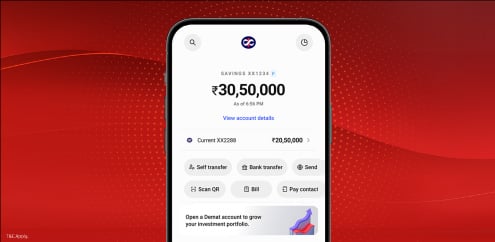
Access all your Kotak accounts, cards, deposits, loans, and investments in one unified view. Get real-time updates, automate bill payments, and track EMIs effortlessly.
Discover personalised loan and credit card offers based on your profile — quick and hassle-free.

Book FDs or invest in mutual funds in just a few taps—no separate app required. Track your portfolio and SIPs effortlessly, anytime, anywhere.